
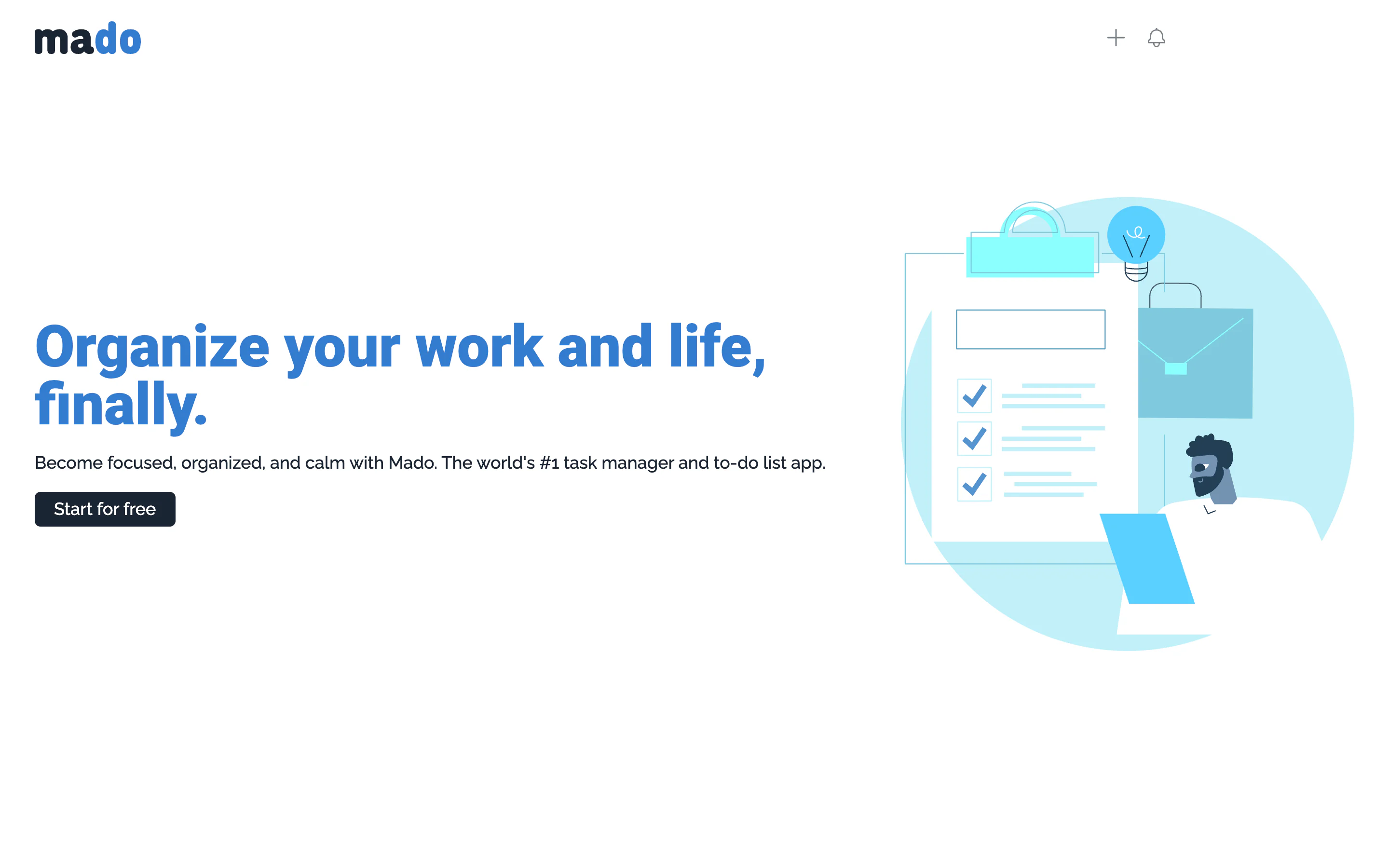
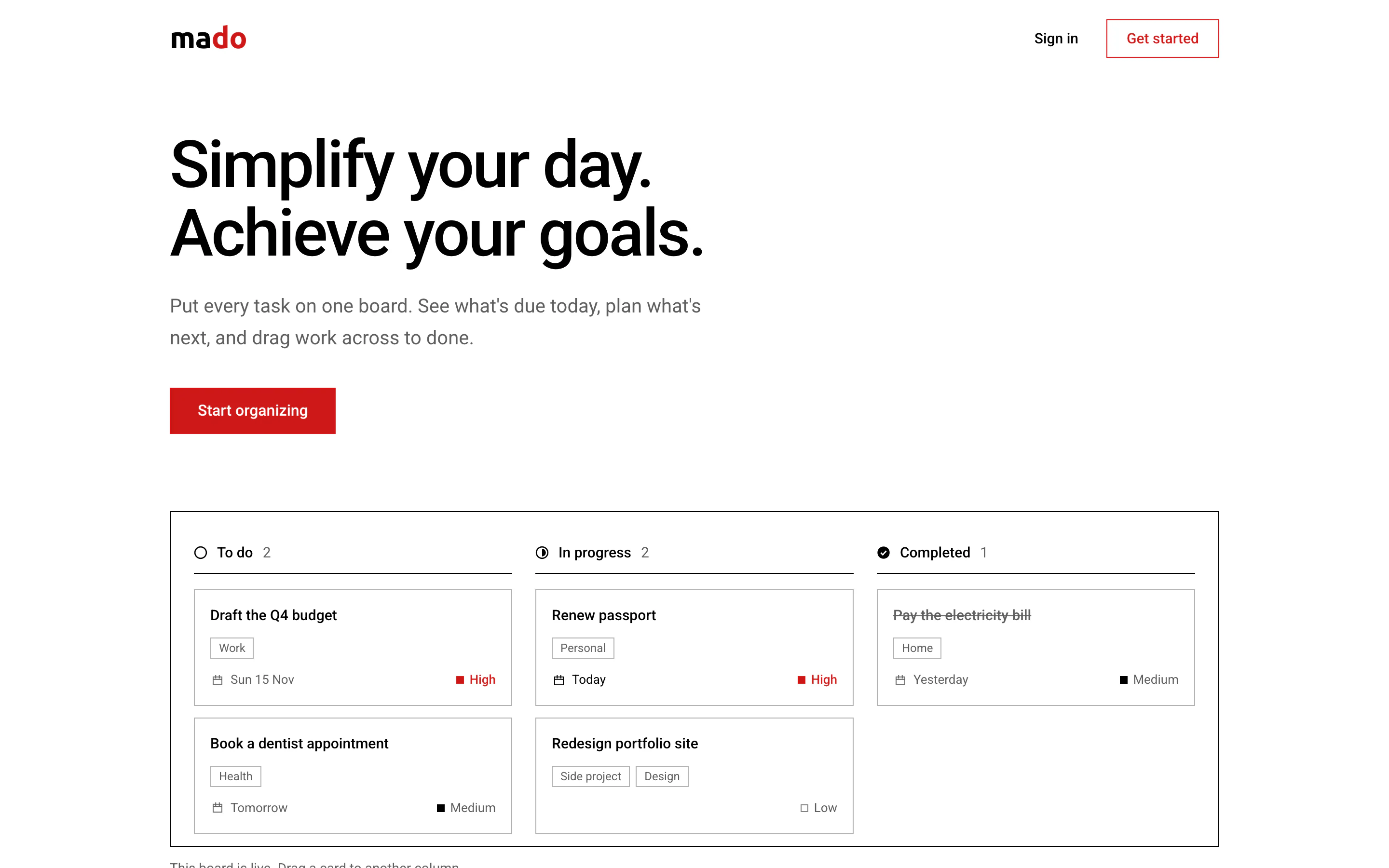
2023: two starts
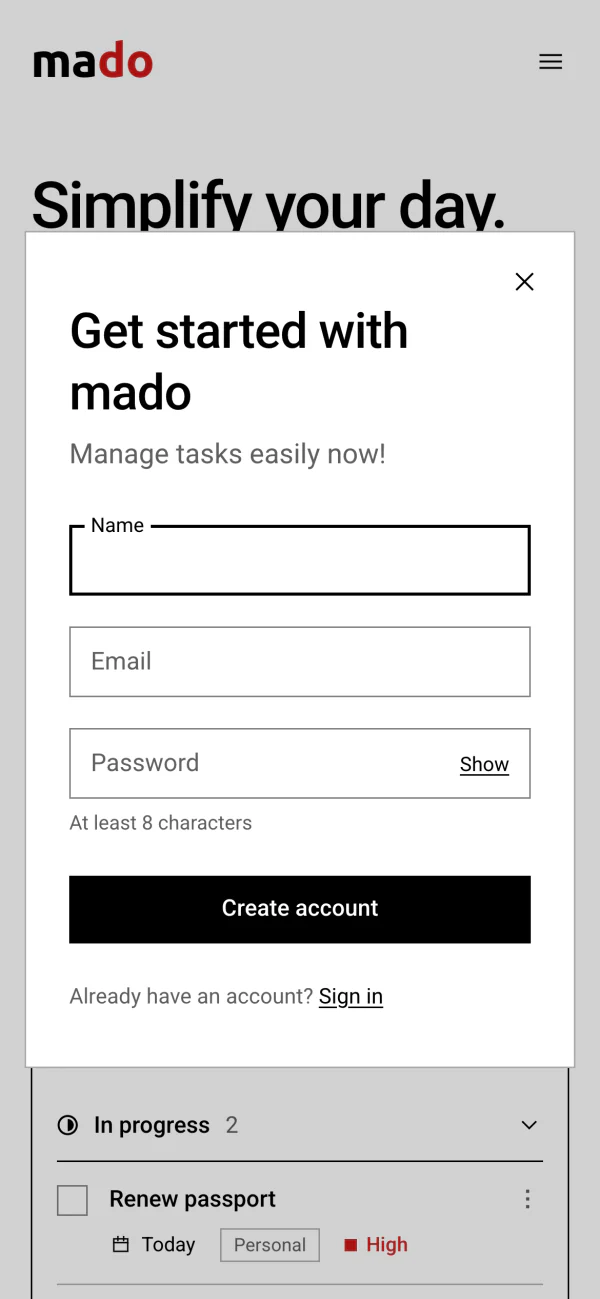
mado began in October 2023 as a React app with its own Express server and a MongoDB database. In about a month it got a home page, sign-up and sign-in forms that opened over that page, and Google sign-in. It was black on white with one red. It had no tasks yet.
In December it was started again on Next.js, with a new blue look. This version had the board: three columns, and cards that could be dragged between them. But it had no accounts and saved nothing, and its three cards were written into the code. Work stopped on 10 December 2023.
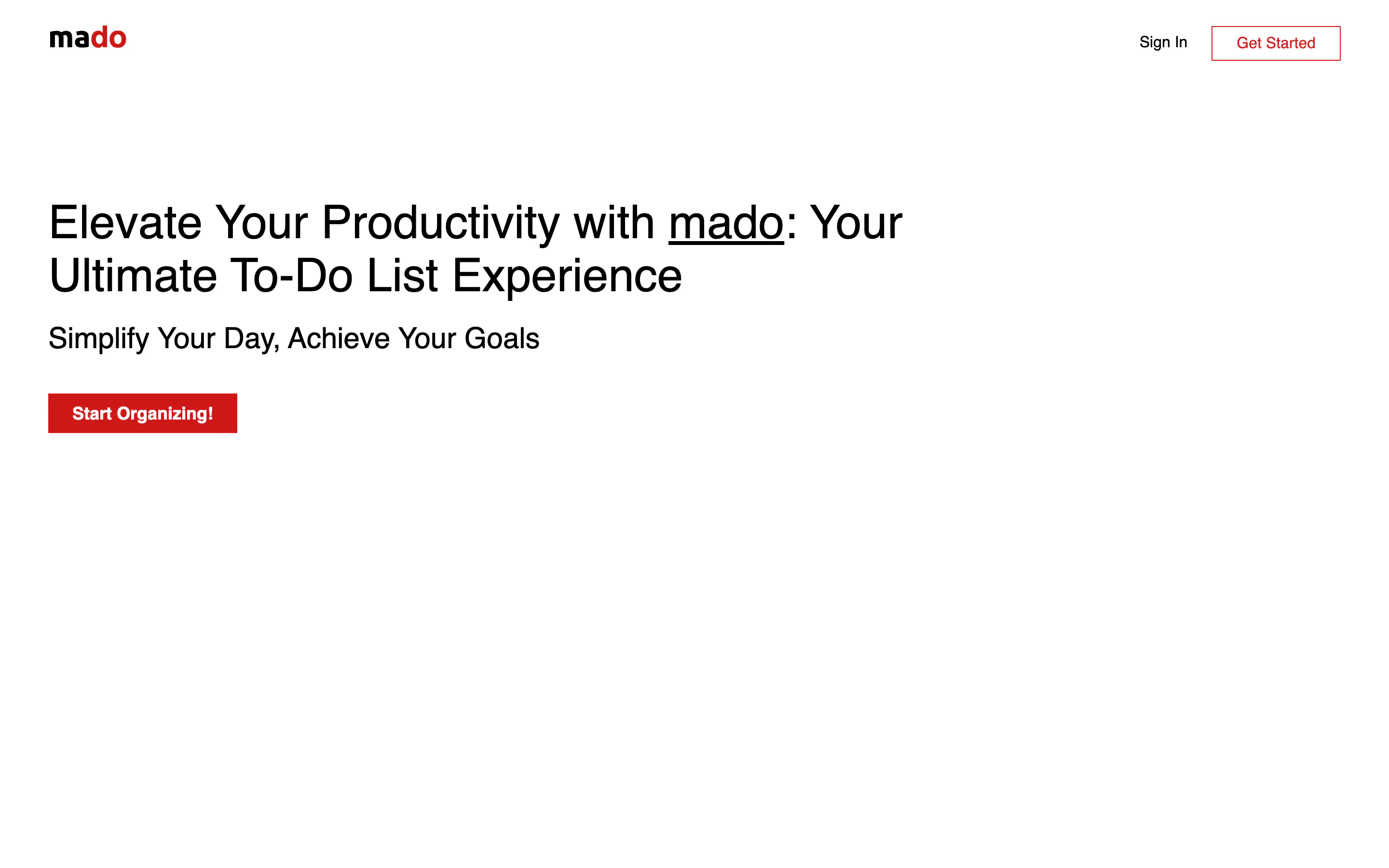
2026: the first look, finished
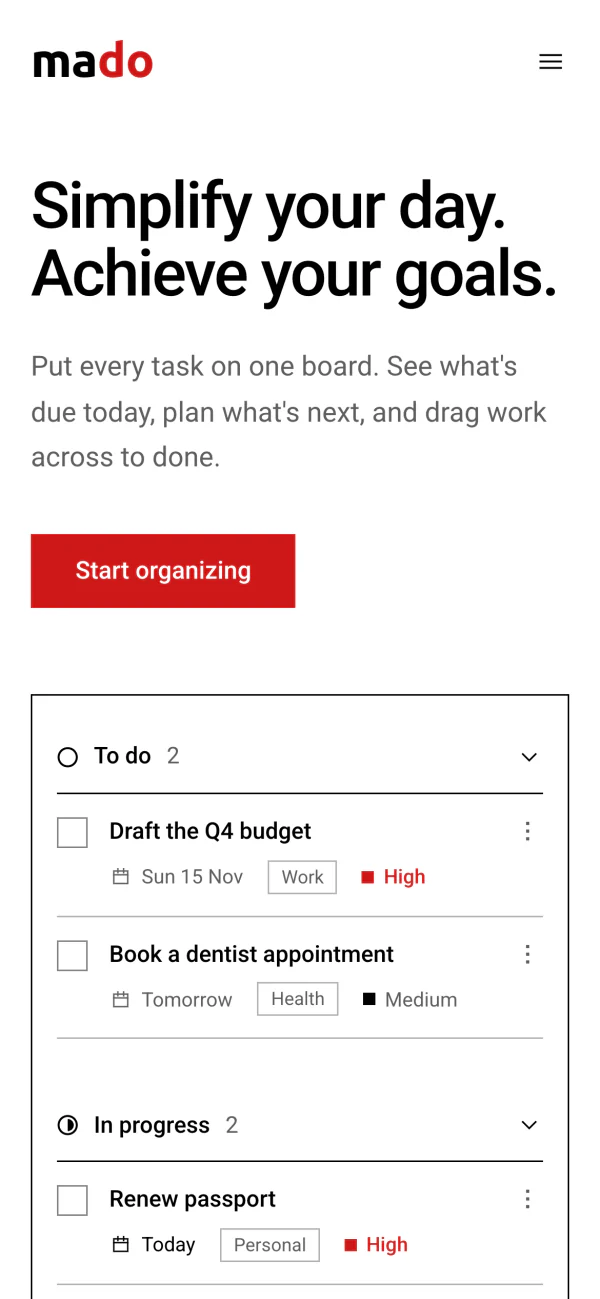
The 2026 rebuild went back to October's look and gave it what was missing: accounts, tasks that are saved, and pages for today and for what comes next. October's second line became the headline, the “Start organizing” button stayed, and sign-up still opens over the home page.
Mado is Japanese for window. The home page now shows the board inside a thin black frame, and it is the working board, not a picture of it.
Three habits keep the design plain.
One red.
For the name, the main button, high priority and what is overdue.Priority is a small square.
Red for high, black for medium, an outline for low.Labels sit on the edge.
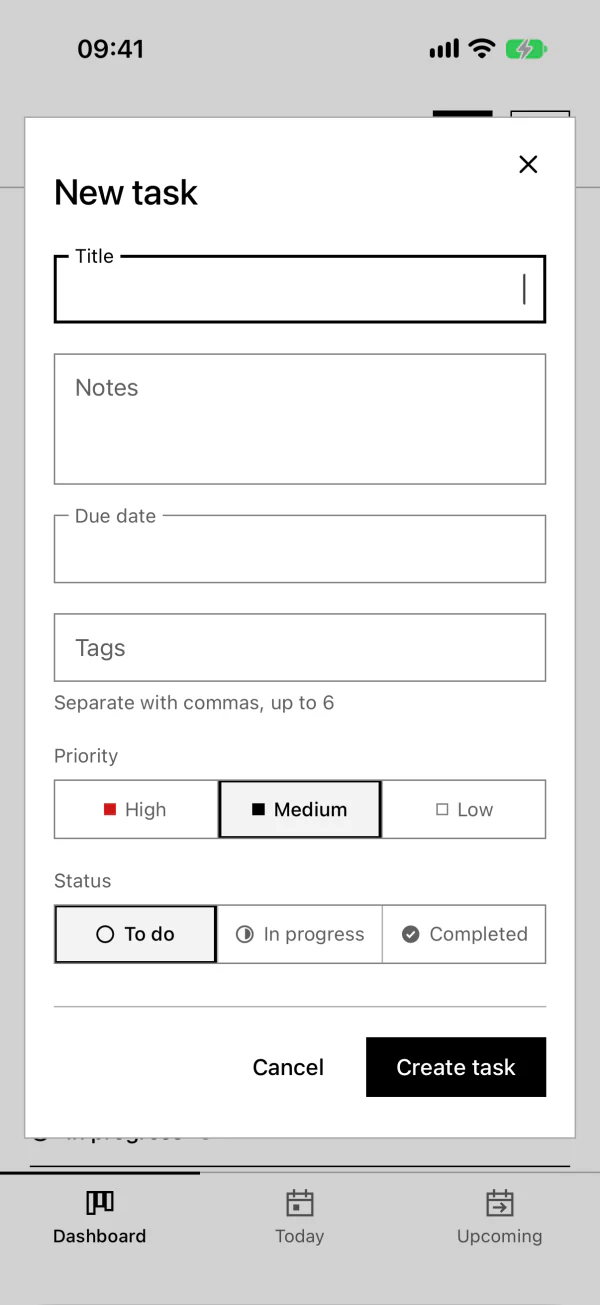
The label rests inside the box and moves onto its border when you type. Try it.Drag a card
The board below works like the one in mado. A task moves the moment you let go of it, and the new order is saved in the background. Only the columns the move touched are sent.
If saving fails, the task goes back to where it was and the board says so. Tick “Make the next save fail” to see that happen.
To move a task, press space to pick it up, use the arrow keys to move it, then press space to drop it or escape to cancel.
To do 2
-
Draft the Q4 budgetIn 2 daysHigh
-
Book a dentist appointmentTomorrowMedium
Nothing to do yet.
In progress 2
-
Renew passportTodayHigh
-
Redesign portfolio siteLow
Drag a task here when you start it.
Completed 1
-
Pay the electricity billYesterdayMedium
Finished tasks land here.
What was saved
Nothing yet. Move a task.
Couldn't save your change. Check your connection and try again.
With a mouse, drag. On a touch screen, press and hold a card, then drag, so that a swipe still scrolls the page. On a keyboard, Space picks a card up, the arrow keys move it, Space drops it and Escape puts it back. A screen reader announces each step. mado's own board works the same three ways.
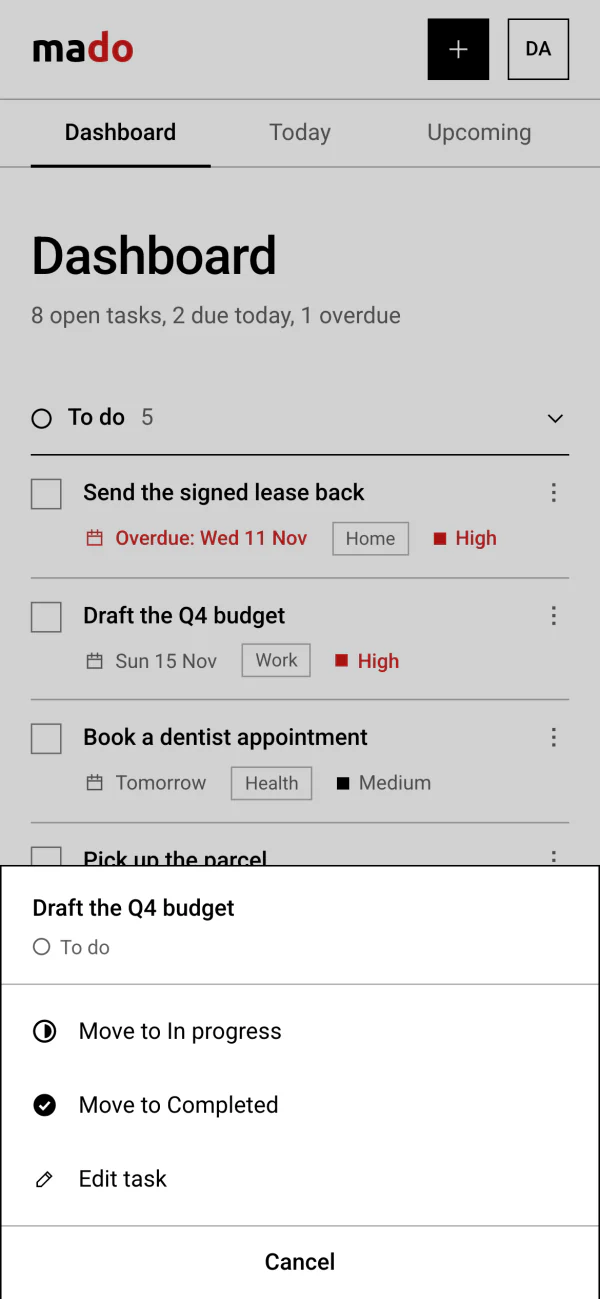
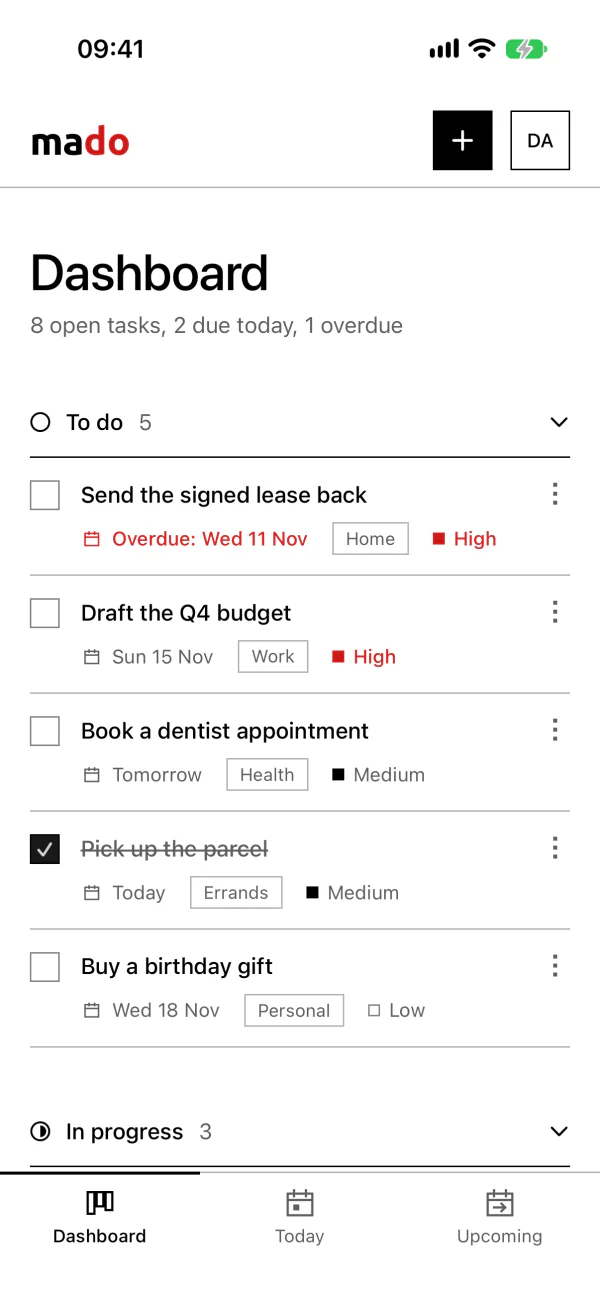
Tick a task to finish it. The tick shows for a moment before the task moves, and a second tap in that moment takes it back. The ⋮ button moves a task without dragging. To drag, press and hold, so that a swipe still scrolls the page. A heading folds its section, and a folded heading still takes a task dropped on it.
A day with mado
Seven screens, from the first visit to next week. Each picture is the real page, with sample tasks.
-
Try it first
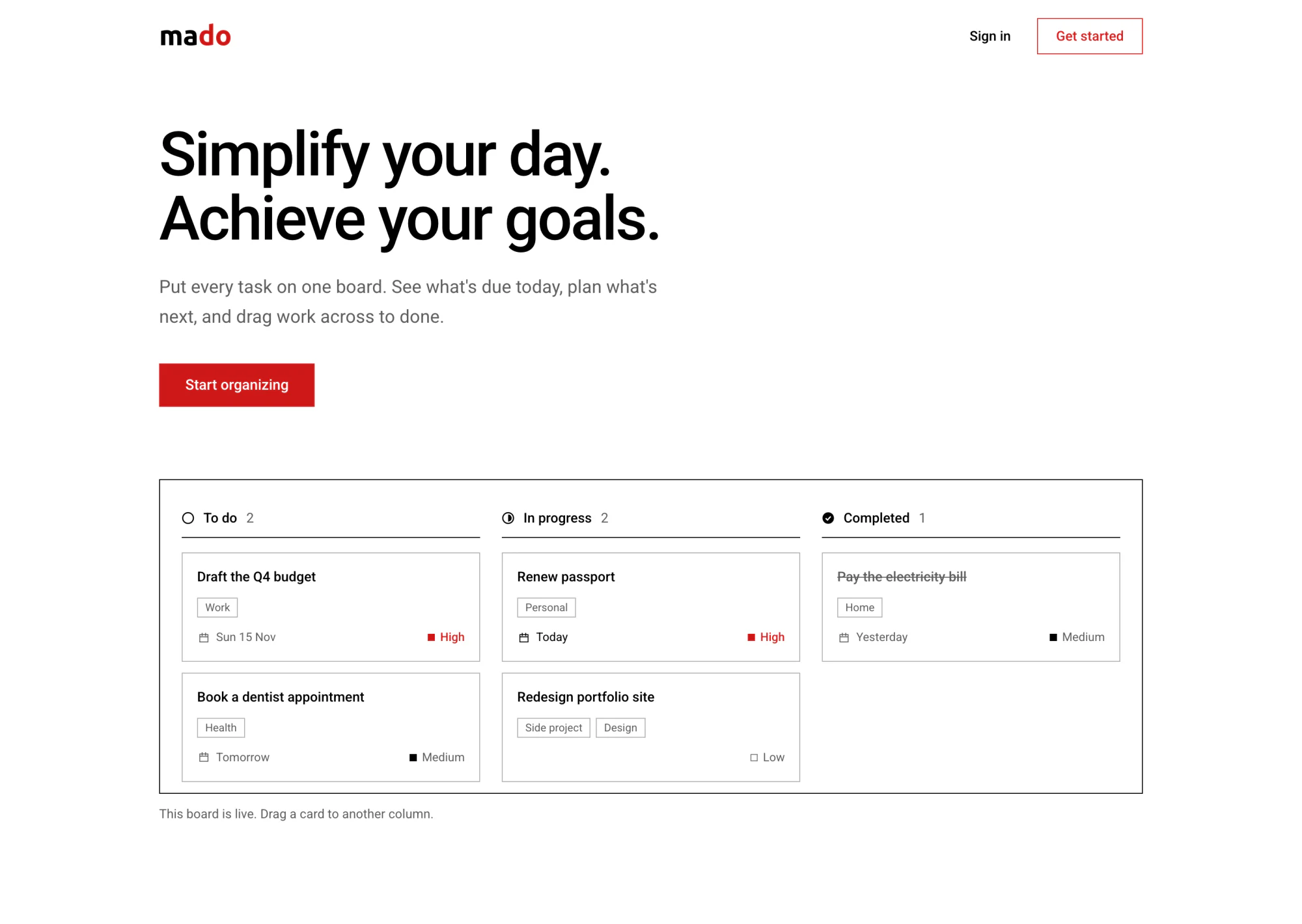
The board on the home page is the real one, running on five sample tasks. Visitors can drag cards before they have an account.
-
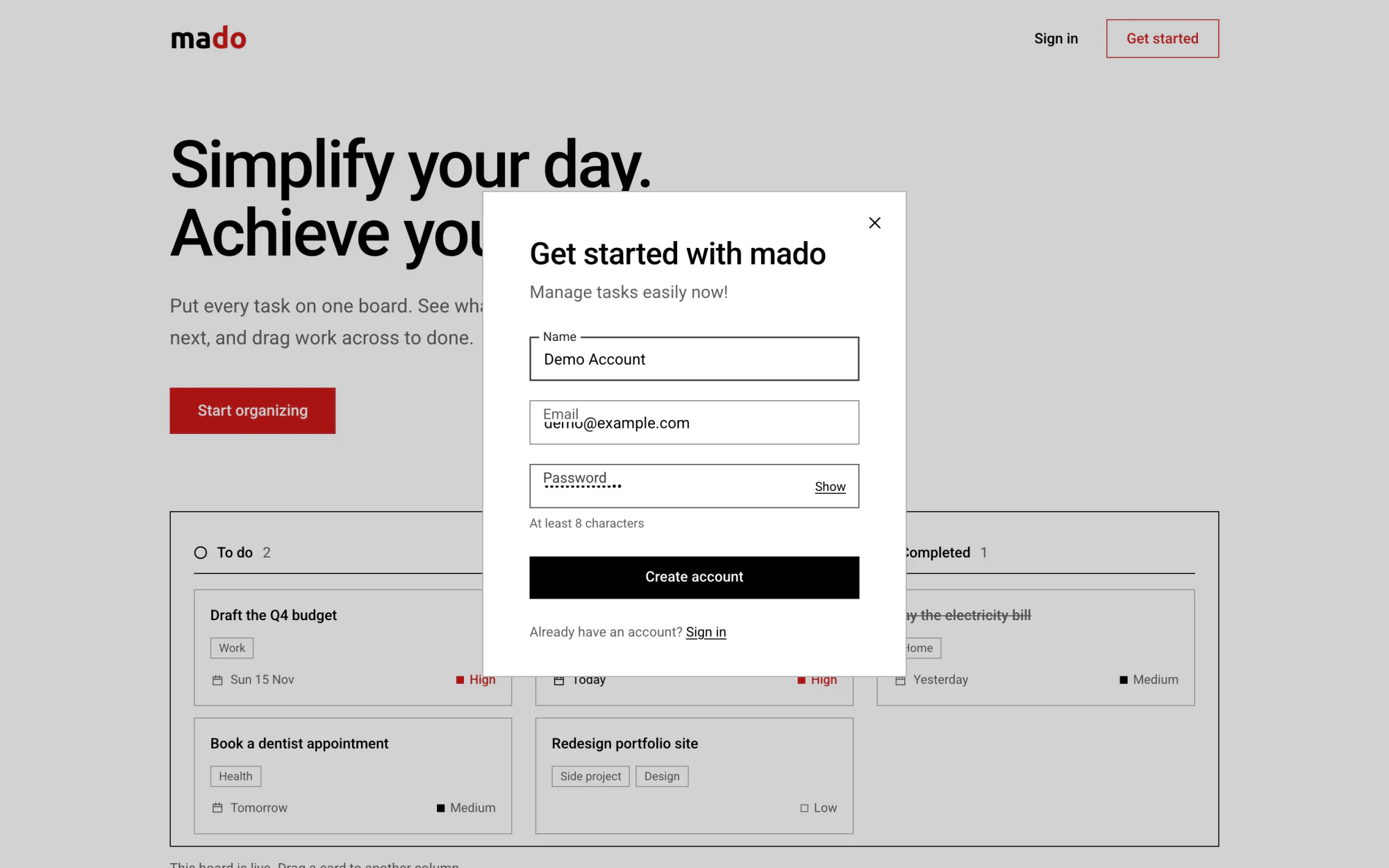
Sign up over the page
Sign-up and sign-in open over the home page, as they did in 2023. An account needs a name, an email and a password. Google sign-in can be switched on.
-
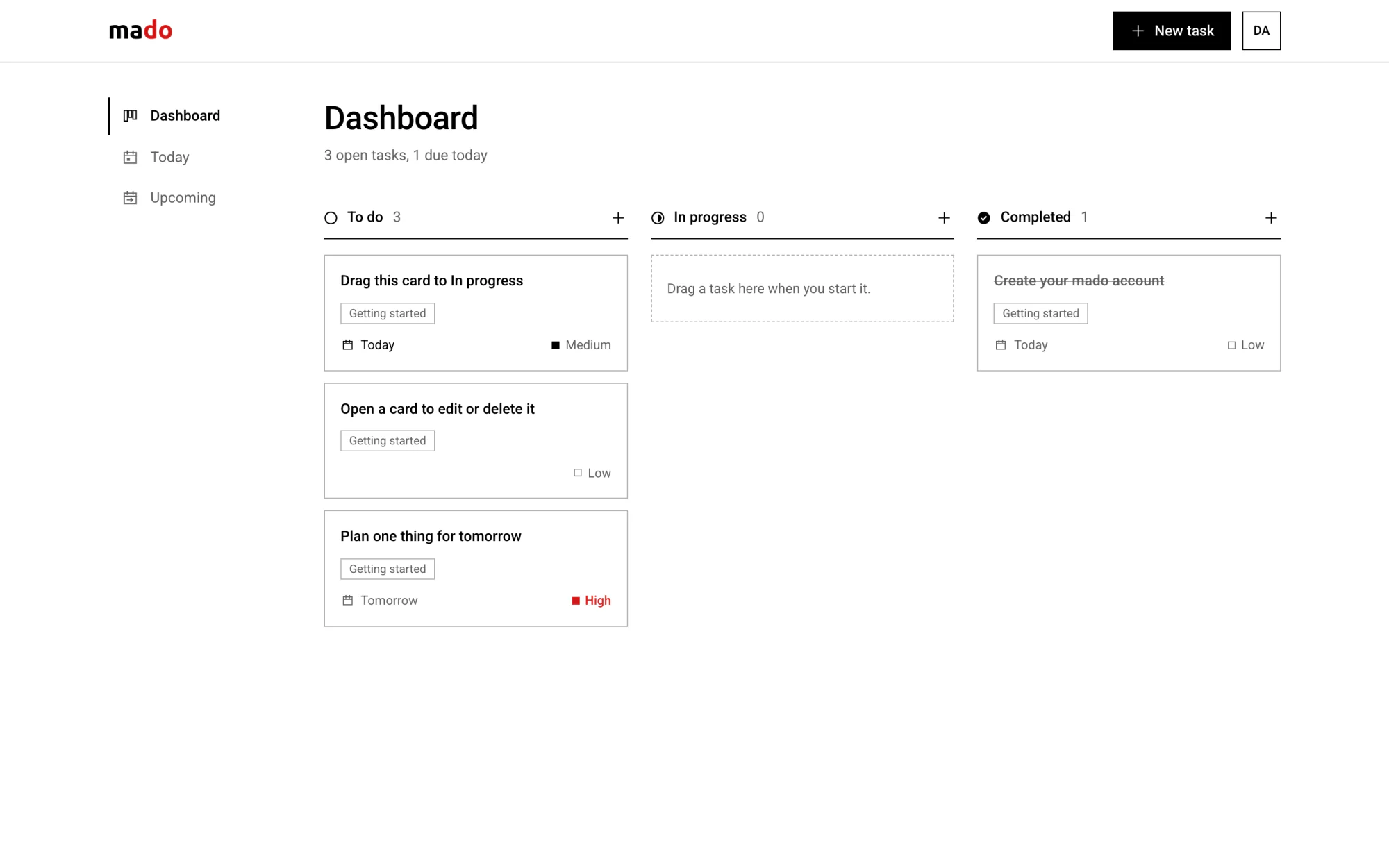
A board that explains itself
A new account starts with four tasks that teach the board: drag this card, open a card to edit it, plan one thing for tomorrow.
-
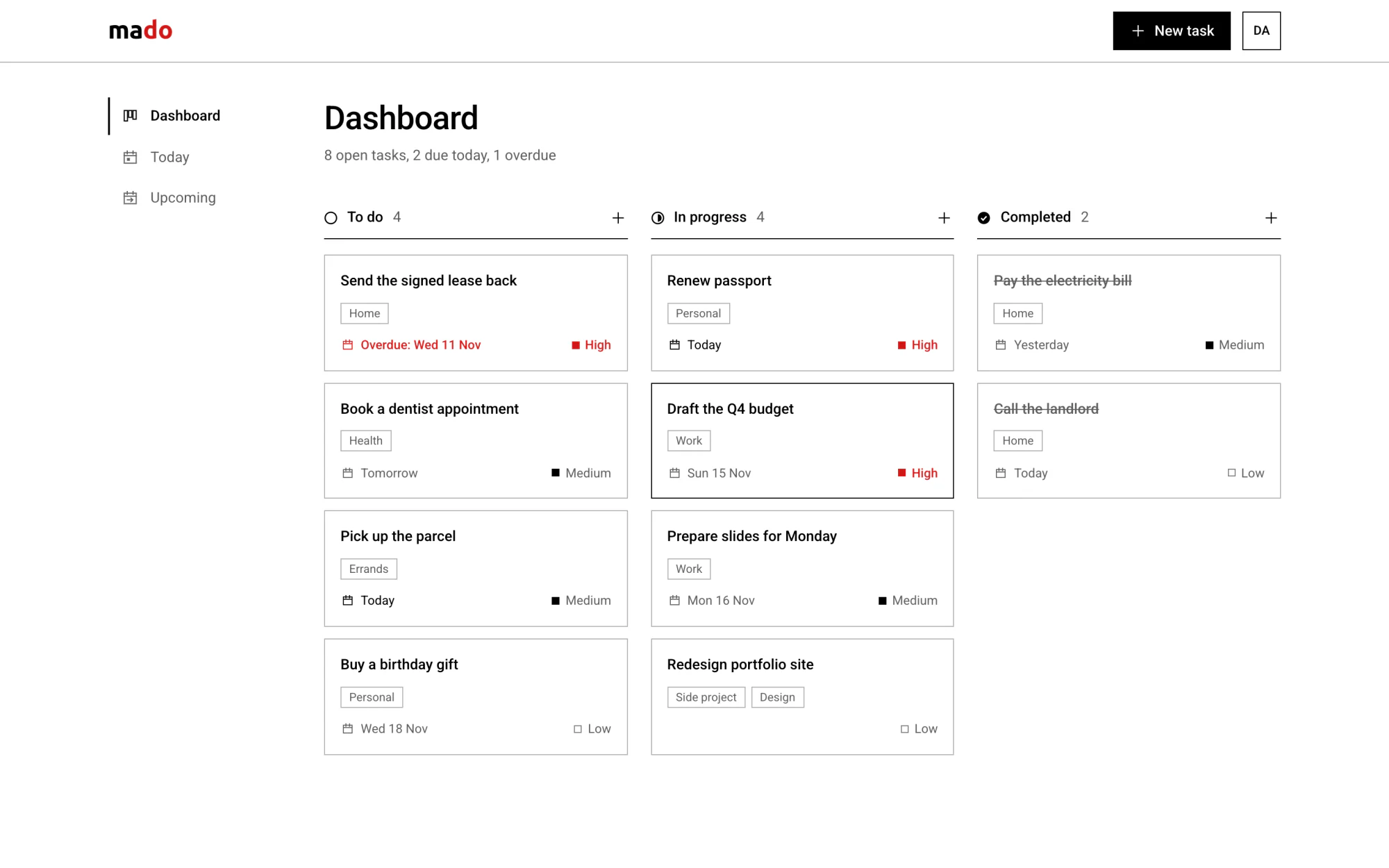
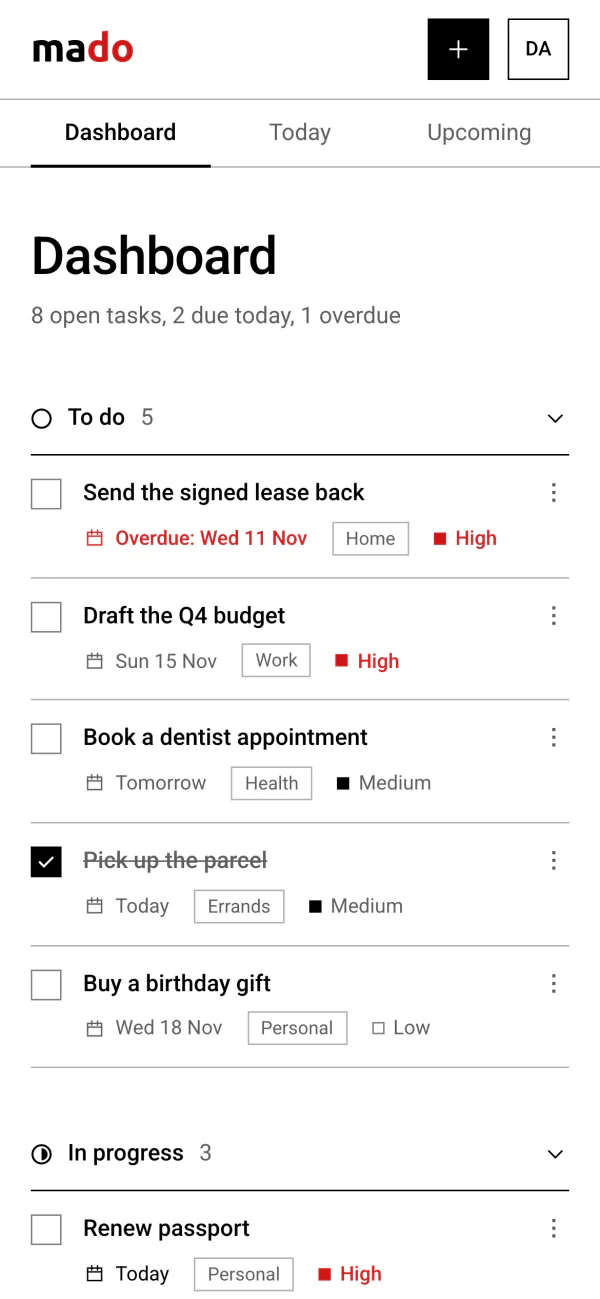
The board
To do, In progress and Completed. Each card shows its tags, its due date and its priority. The line under the title counts what is open, due today and overdue.
-
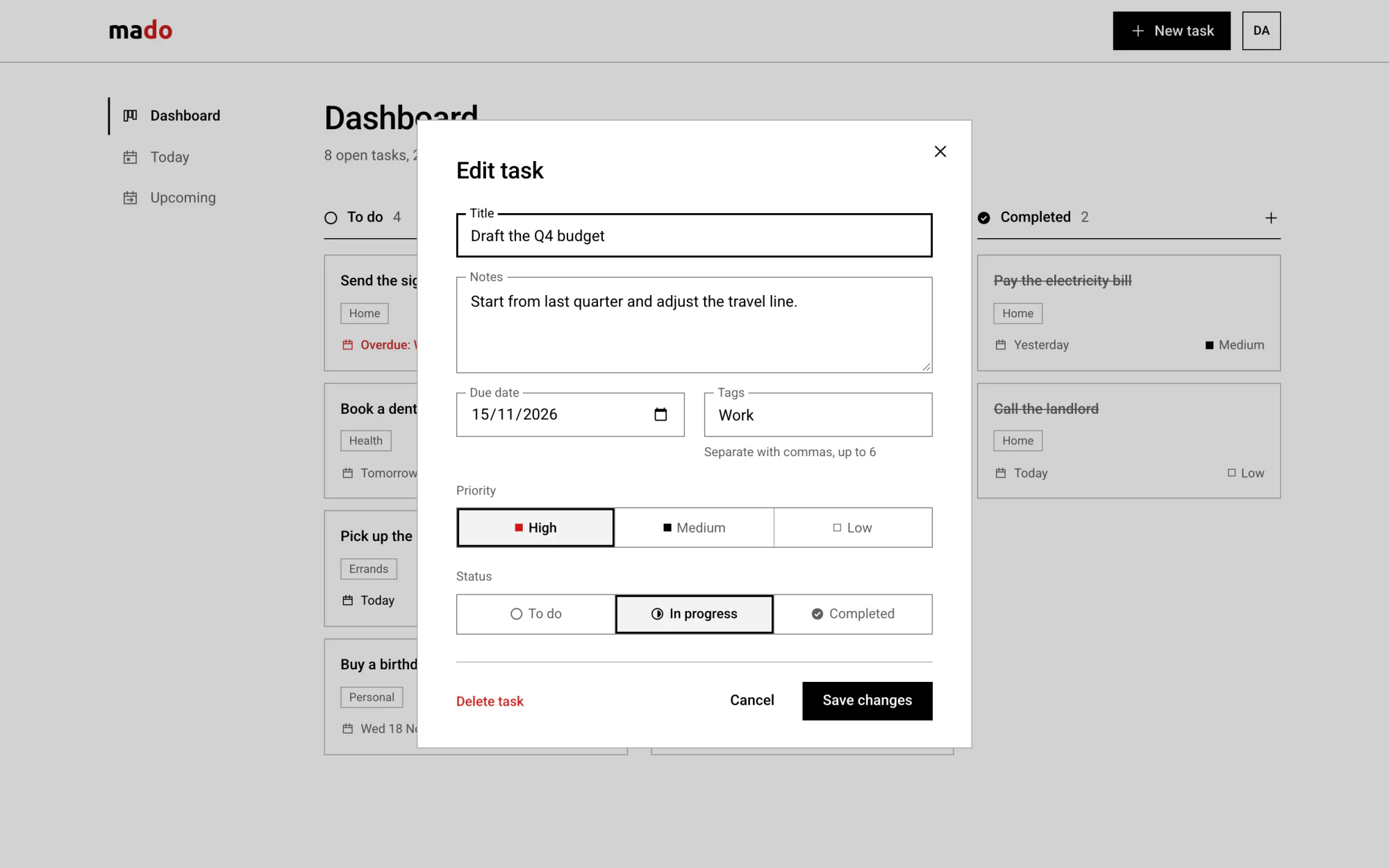
A task
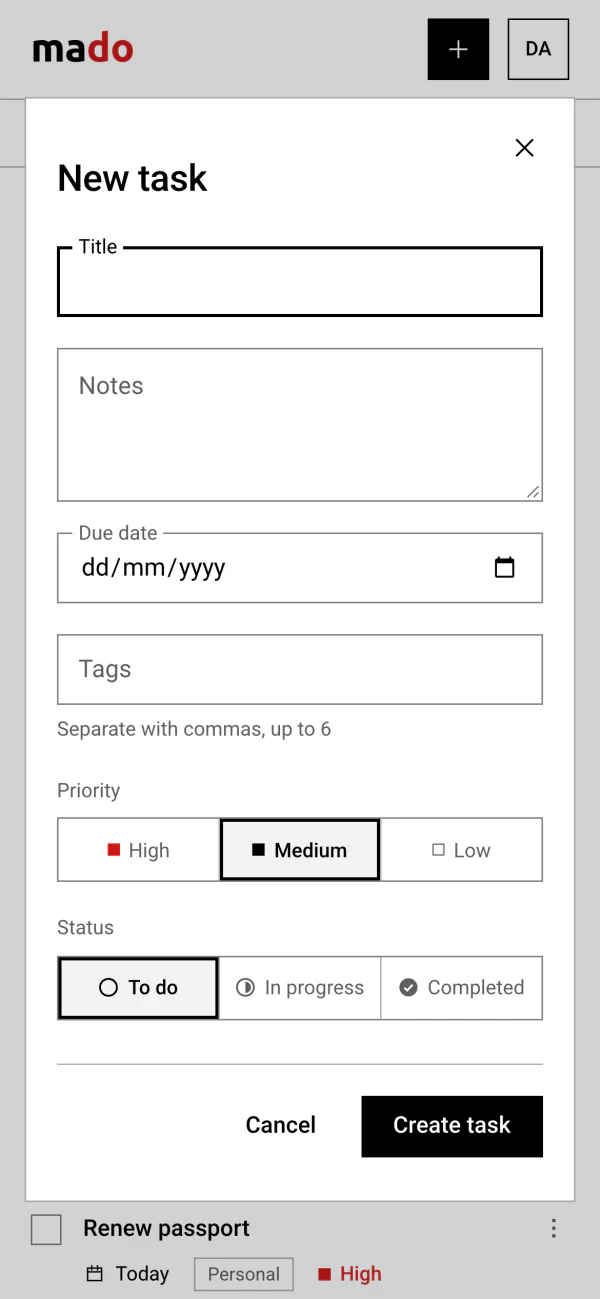
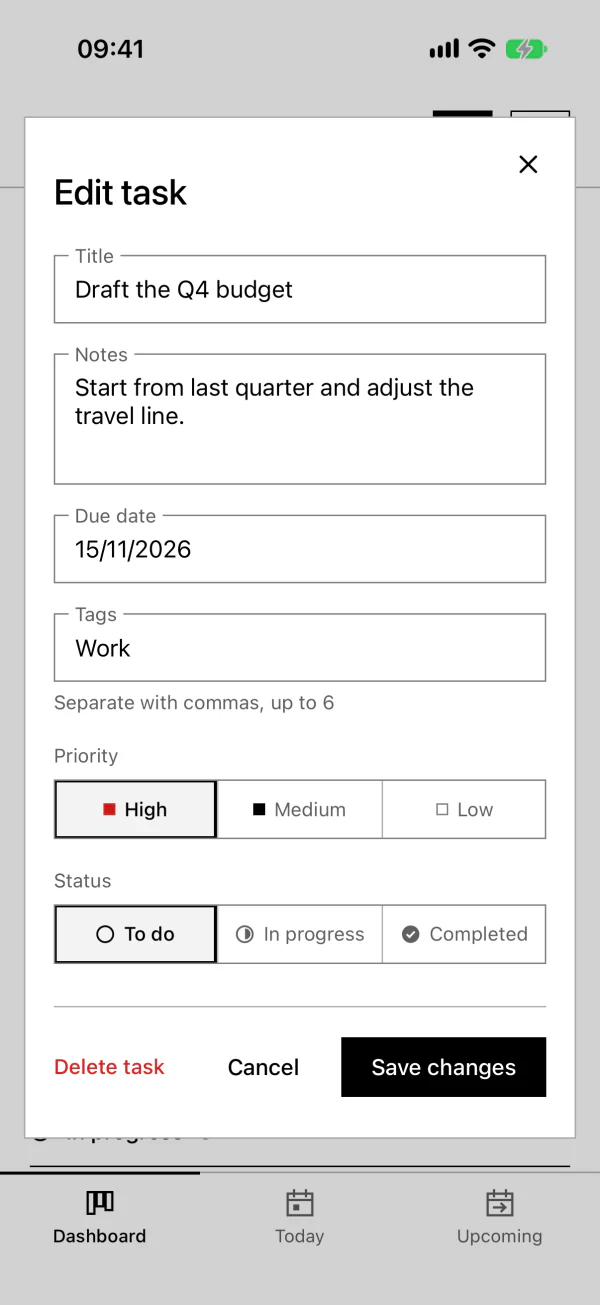
A title, notes, a due date, up to six tags, a priority and a status. Opening a card lets you change or delete it.
-
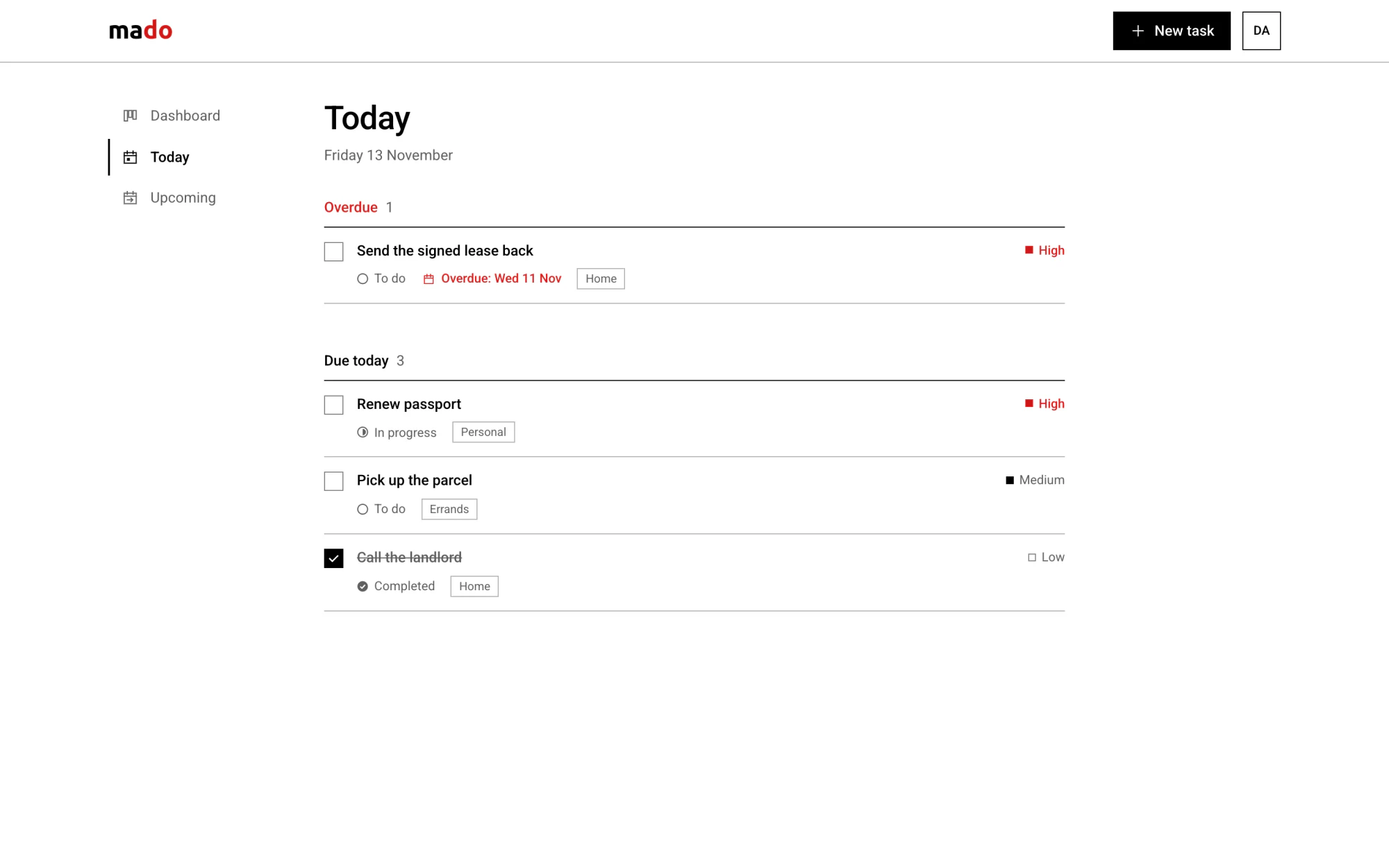
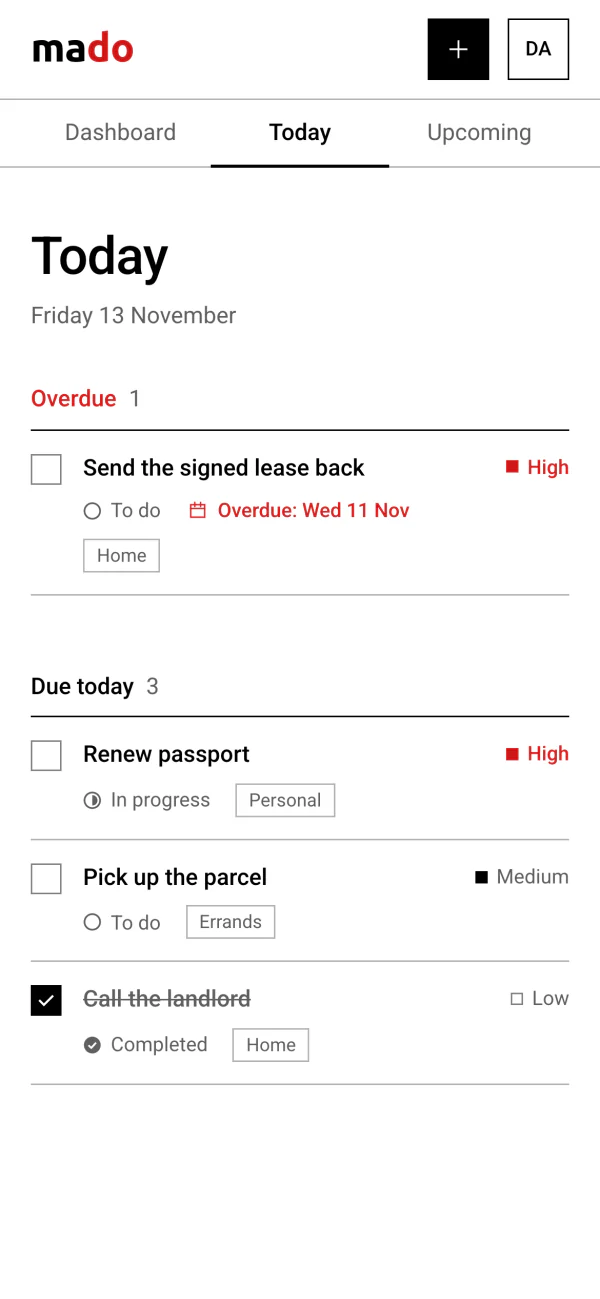
Today
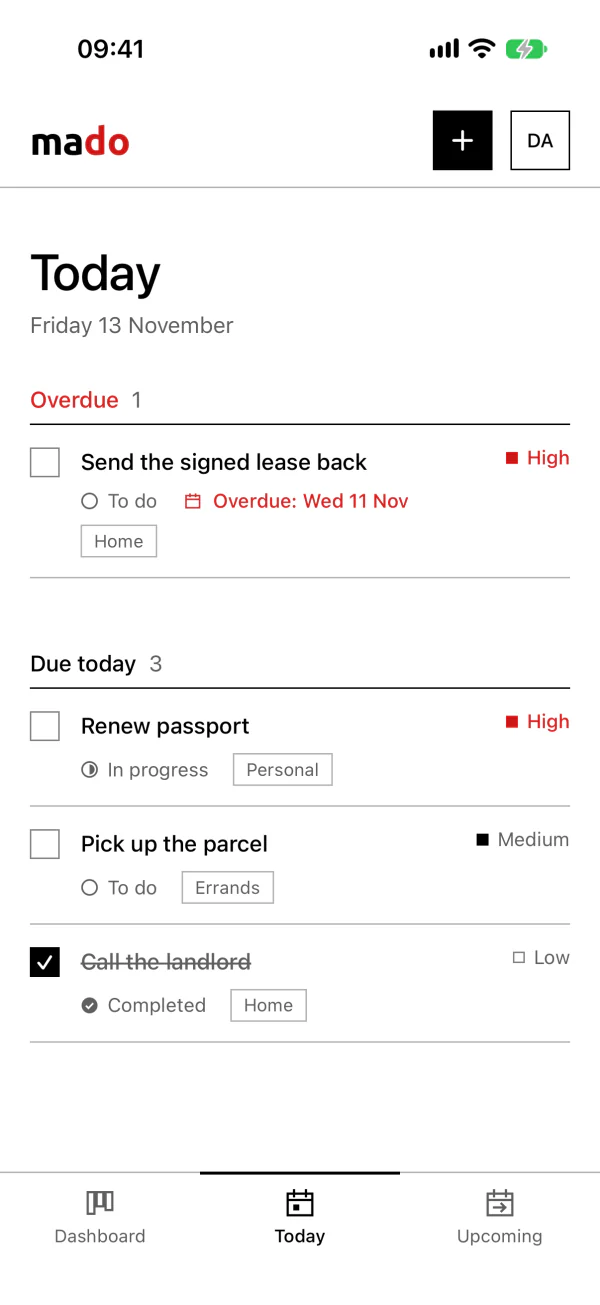
What is due today, with anything overdue above it. Ticking the box completes the task.
-
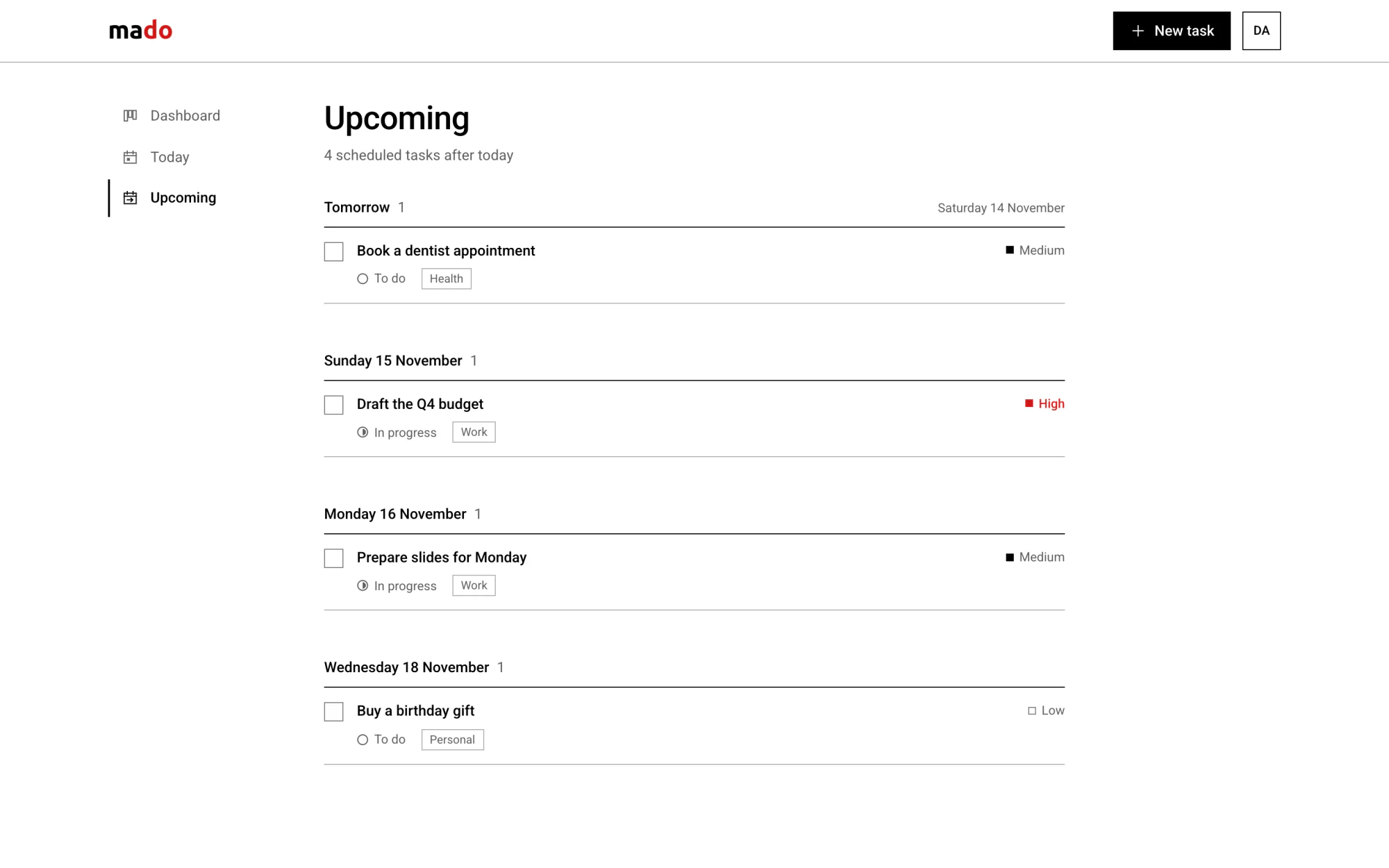
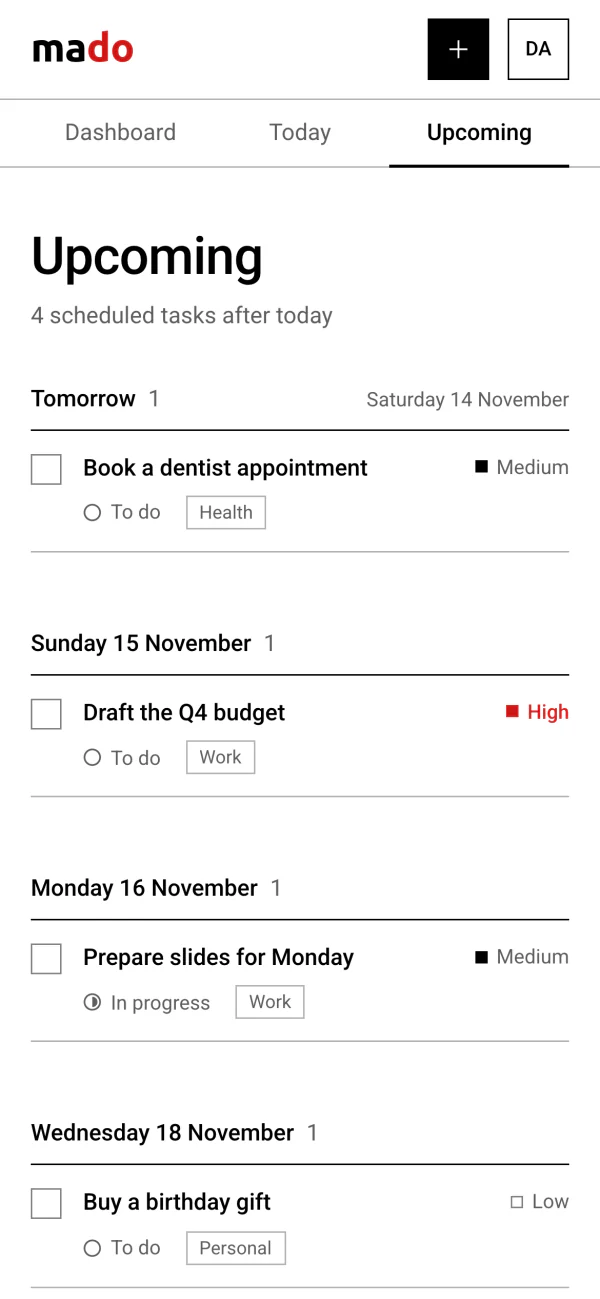
Upcoming
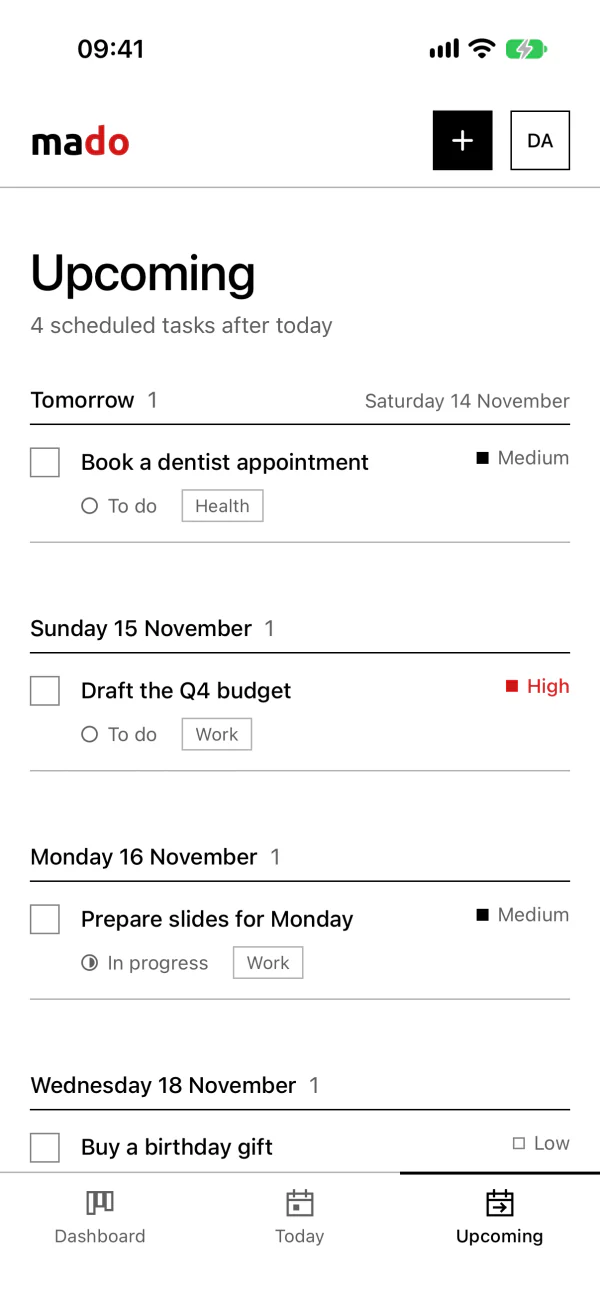
Everything dated after today, grouped by day.
Today means your today
A due date in mado is a calendar day, not a moment. The browser tells the server which time zone it is in, so “Today”, “Tomorrow” and “Overdue” are worked out for the date where you are, not the date where the server is.
For most of the day, Honolulu and Auckland are on different dates. The same task reads differently in each.
One task, due , seen right now from four places:
On a phone
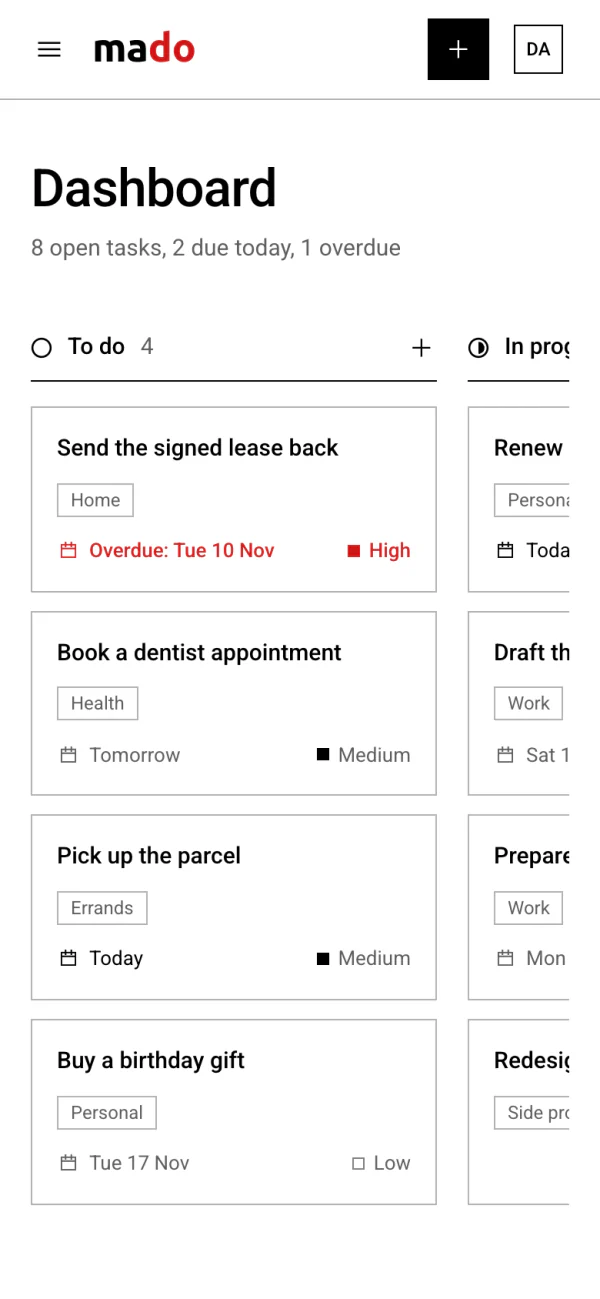
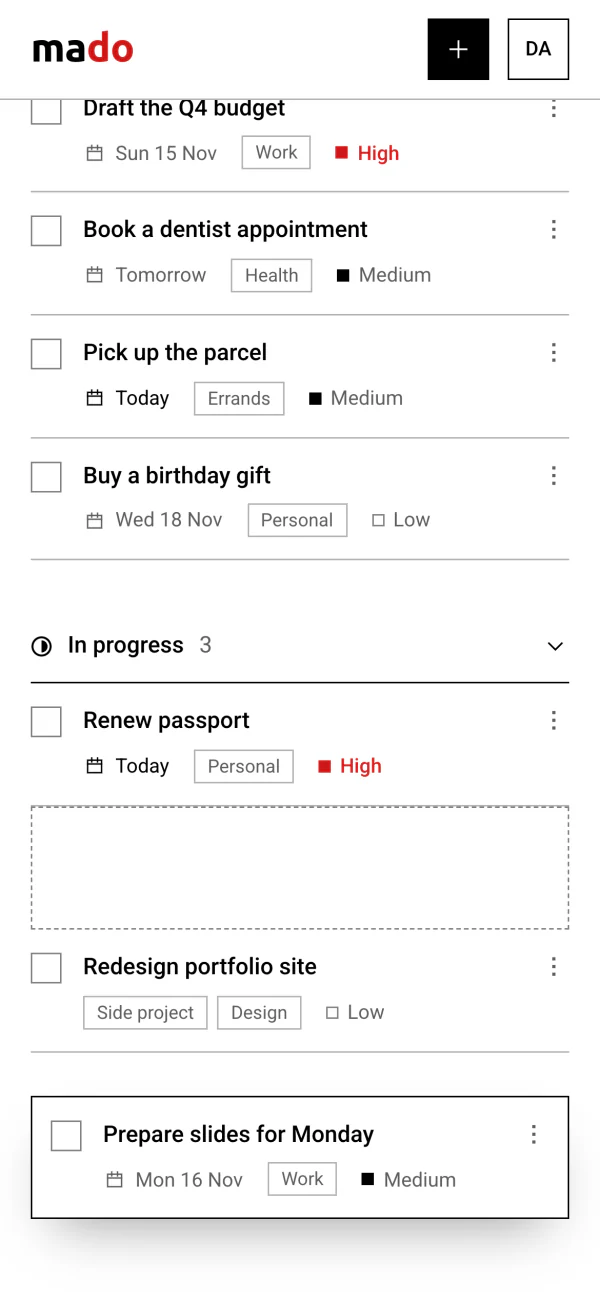
The first phone layout kept the three columns and let them swipe sideways, so only one fitted on the screen at a time, and the pages were behind a menu button.
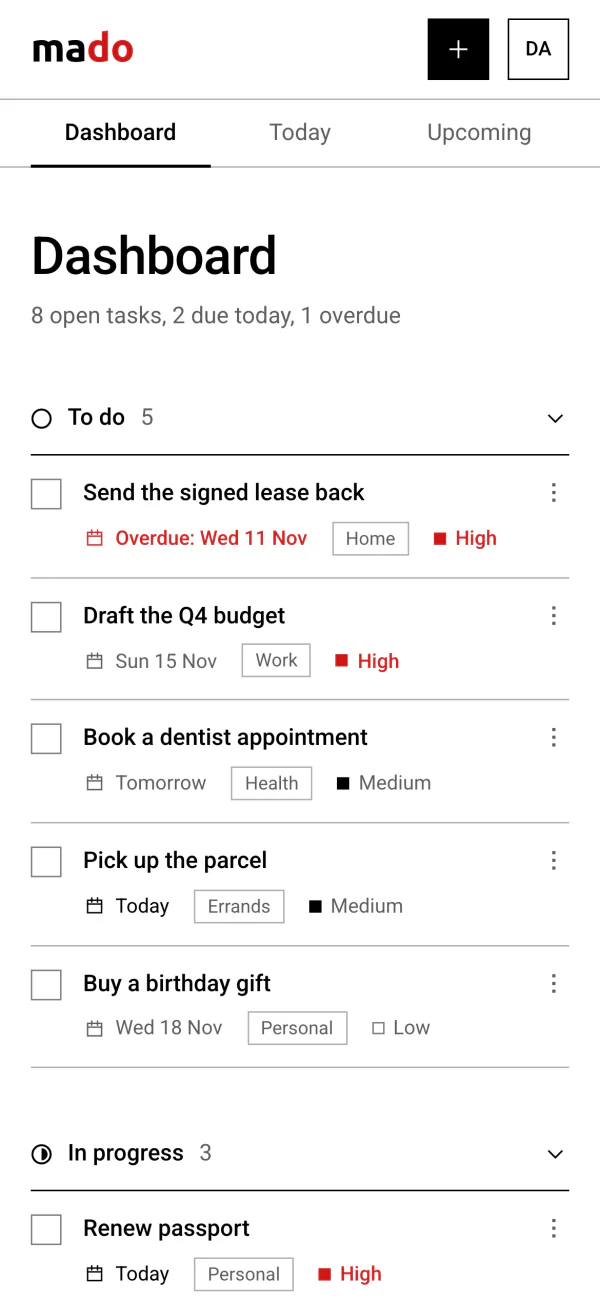
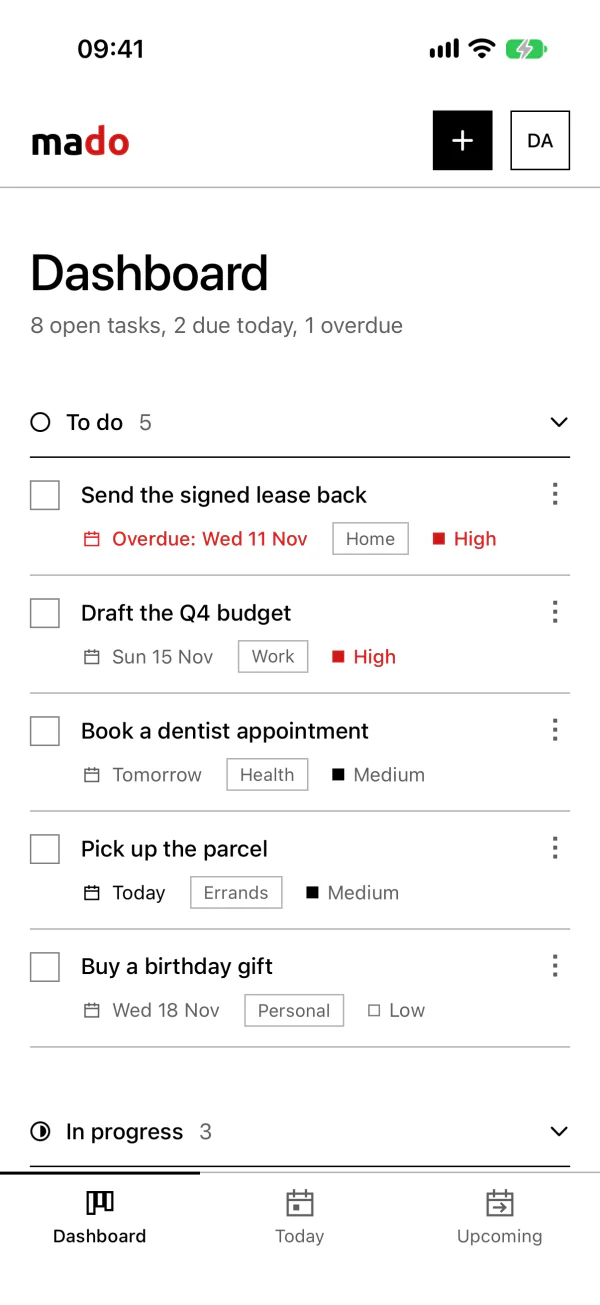
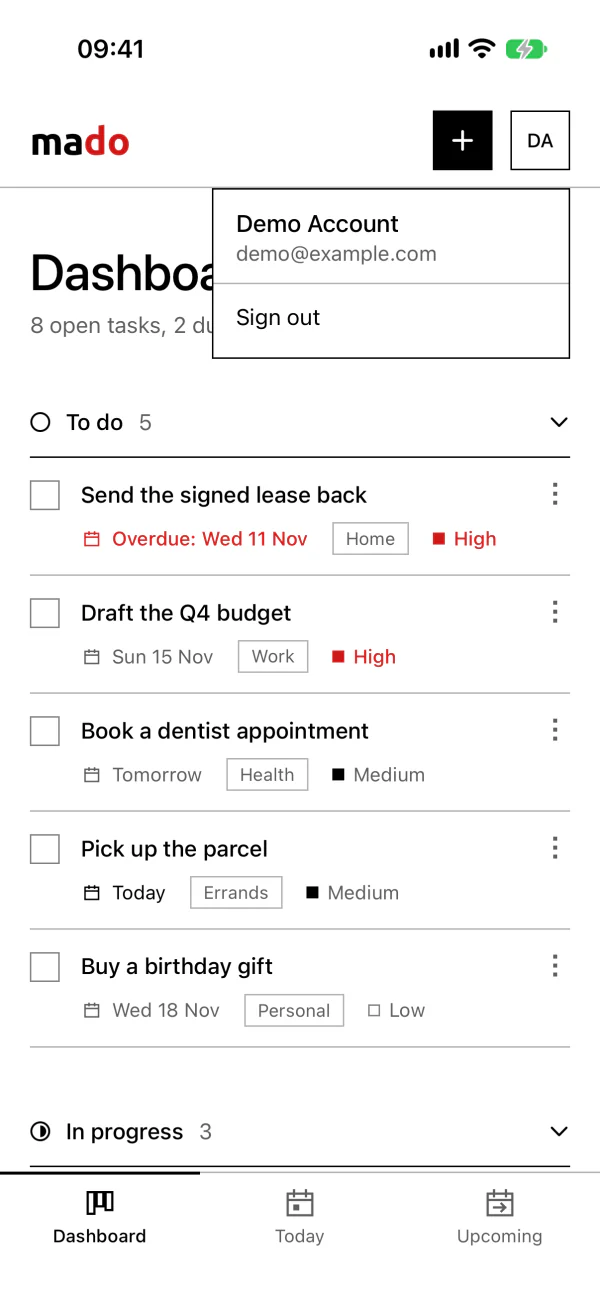
Now the columns are three sections, one under the other. A heading folds its section. Completed starts folded, so finished work does not push open tasks down the screen, and mado remembers which sections you folded. Dashboard, Today and Upcoming are tabs under the header, always in view.
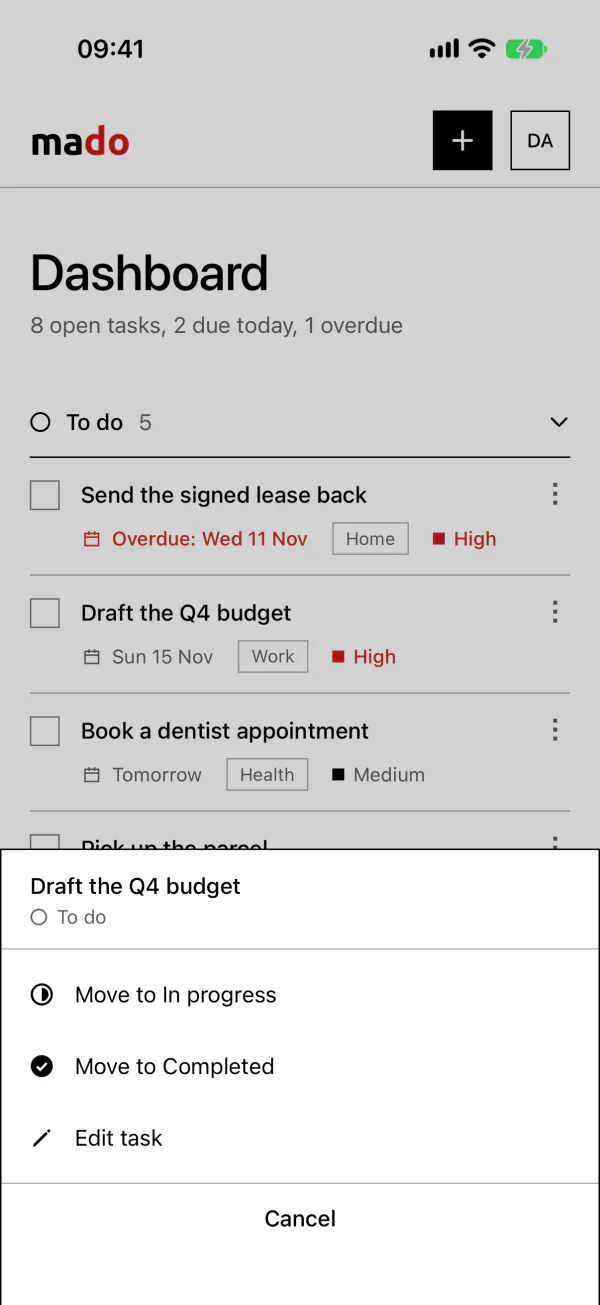
Each task is a row with a tick box and a ⋮ button. The button opens a sheet from the bottom of the screen with “Move to” and “Edit task”, which is quicker than dragging with a finger. Dragging still works: press and hold. The board above has this layout to try.
The same change fixed three things on iPhones: date fields that stuck out of the form, icons squeezed small in tight rows, and dates and emails that iOS turned into links.
The iPhone app
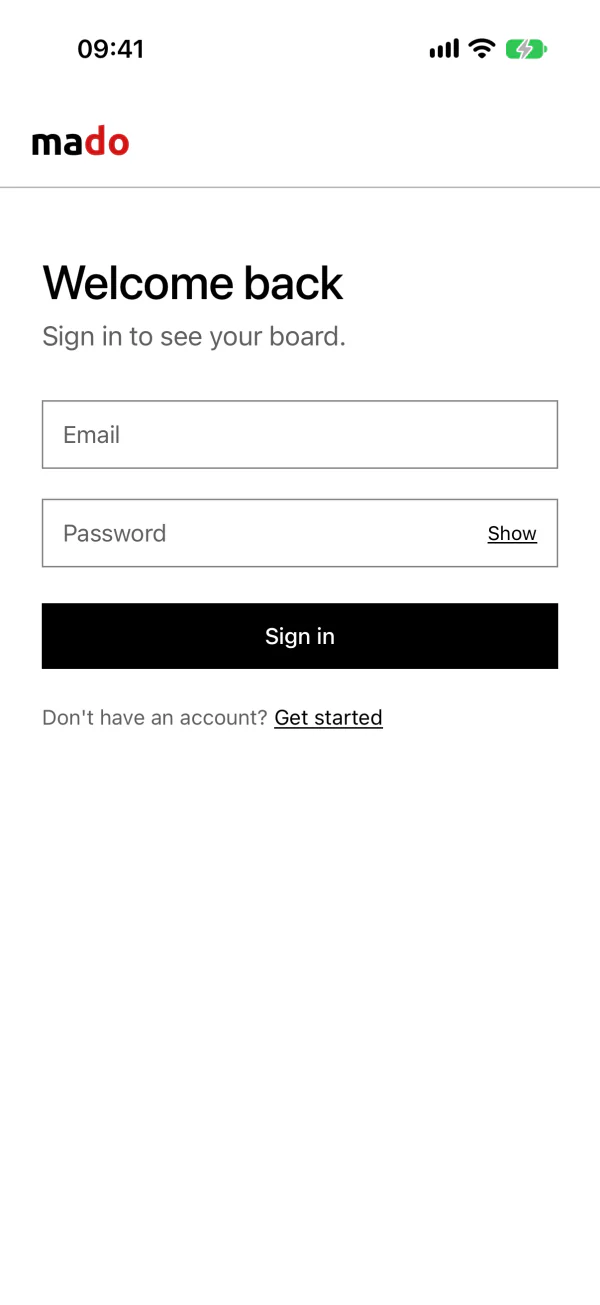
mado also has an iPhone app, written in SwiftUI. It looks like the website on a phone on purpose: the same wordmark, the same sections that fold, the same tick boxes and ⋮ sheet, and the website's own icons. Dashboard, Today and Upcoming move to the bottom of the screen, where thumbs reach.
The app has no server of its own. It signs in with the same account as the website and reads and changes tasks through the website. Every change, from either one, goes through the same code on the server, so the two always follow the same rules.
Websitein the browser
iPhone appsigned in with a token
One set of rulesevery task change, from either
MongoDBone list of tasks per account
A change shows at once and is saved in the background. If the server refuses it, the app puts things back, as the board on the website does. The sign-in token is kept in the iPhone's Keychain. “Today” follows the phone's own date: it is worked out again at midnight and whenever the app comes back to the front.
Built with
- Website
- Next.js 16 (App Router), React 19, TypeScript, Tailwind CSS 4
- iPhone app
- SwiftUI, for iOS 27. It uses the website's task API
- Board
- dnd-kit, for dragging by mouse, touch and keyboard
- Data
- MongoDB. Zod checks everything the server accepts
- Accounts
- Better Auth: email and password, with optional Google sign-in
- Runs on
- Docker Compose starts the local database with one command
43 commits. In black, the 24 of the first version, in October and November 2023. In outline, the 5 of the December 2023 restart on Next.js. In red, the 14 of 2026: the rebuild, which replaced all of the earlier code, and the iPhone app.